See the full look
Review a complete outfit at a glance, from the clothes you own to the way they come together.
Your wardrobe, clearly
Organize your clothes, build looks, and see how they fit before you get dressed.

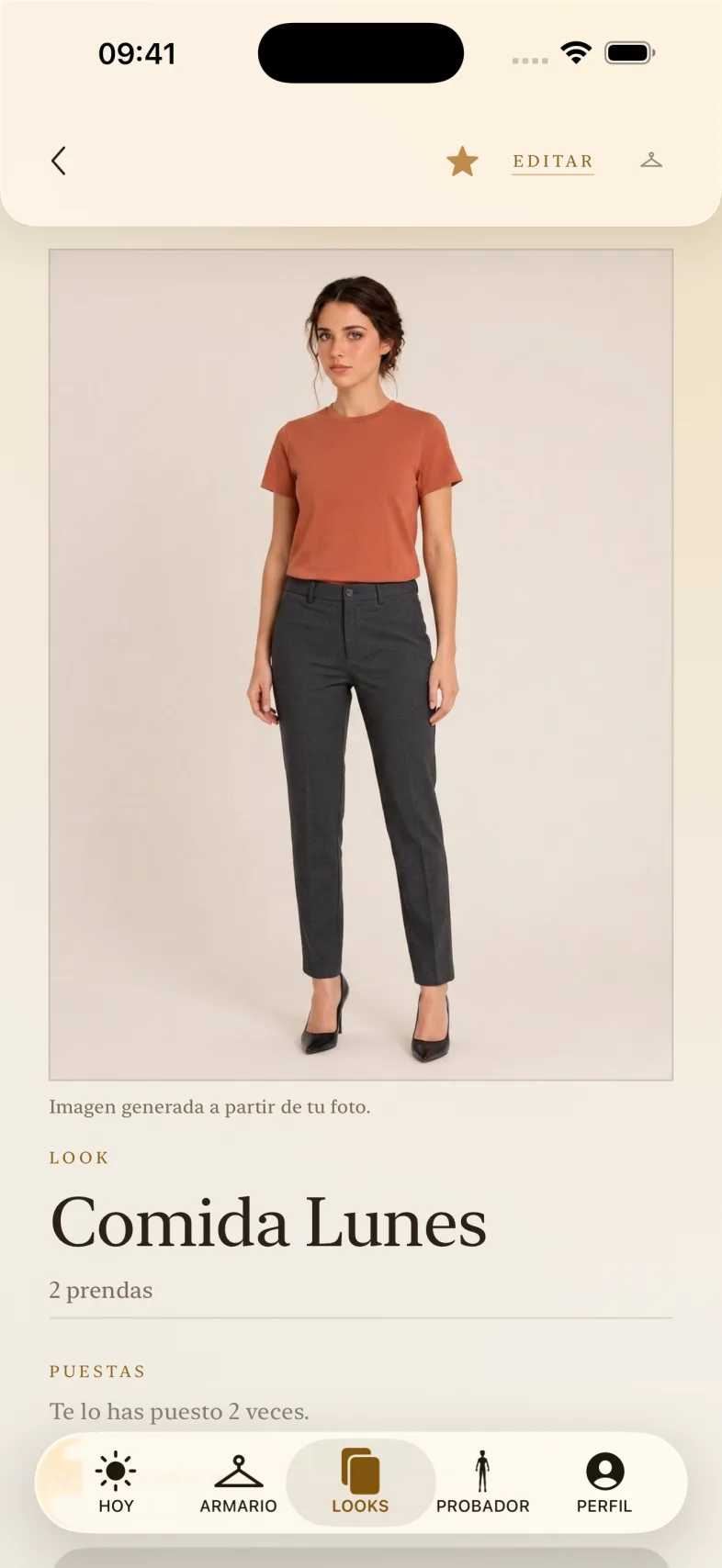
From the clothes you own to the looks you plan.
Review a complete outfit at a glance, from the clothes you own to the way they come together.
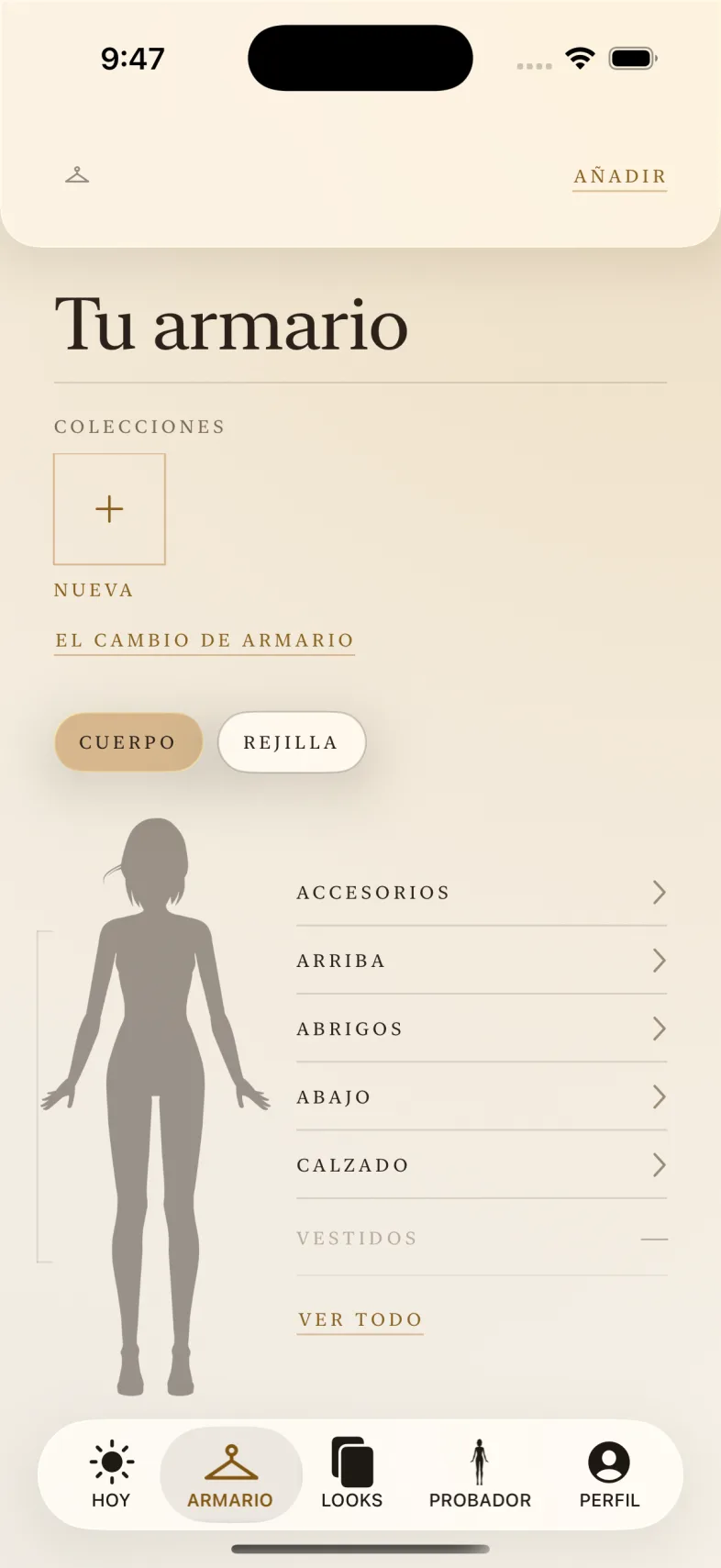
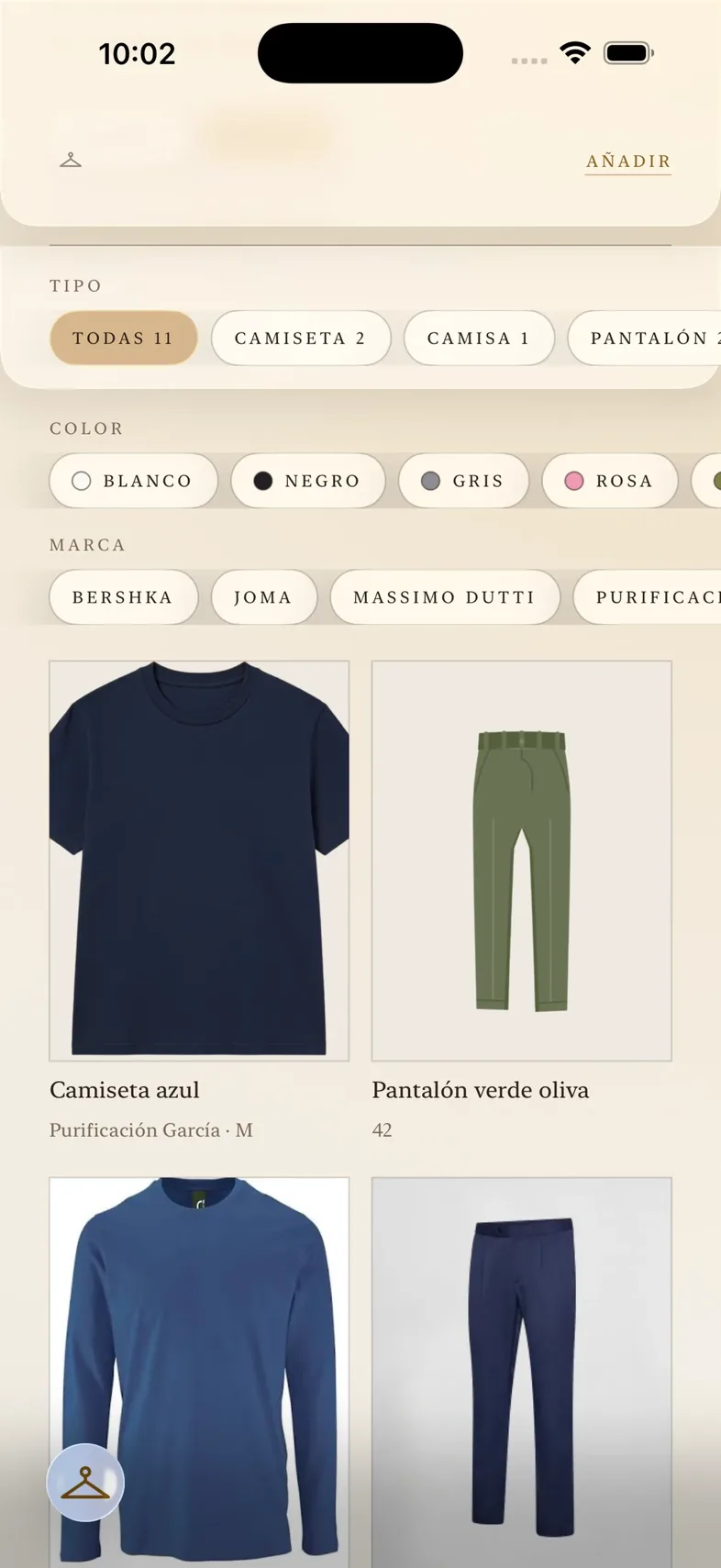
Keep every garment in one place, arranged by accessories, tops, outerwear, bottoms, shoes, and dresses.
Narrow your wardrobe by garment type, color, or brand when you know what you want to wear.
Compare your photo with a generated result to see how a chosen outfit looks on you.
Use Today to keep track of what you wore and what you have planned next.
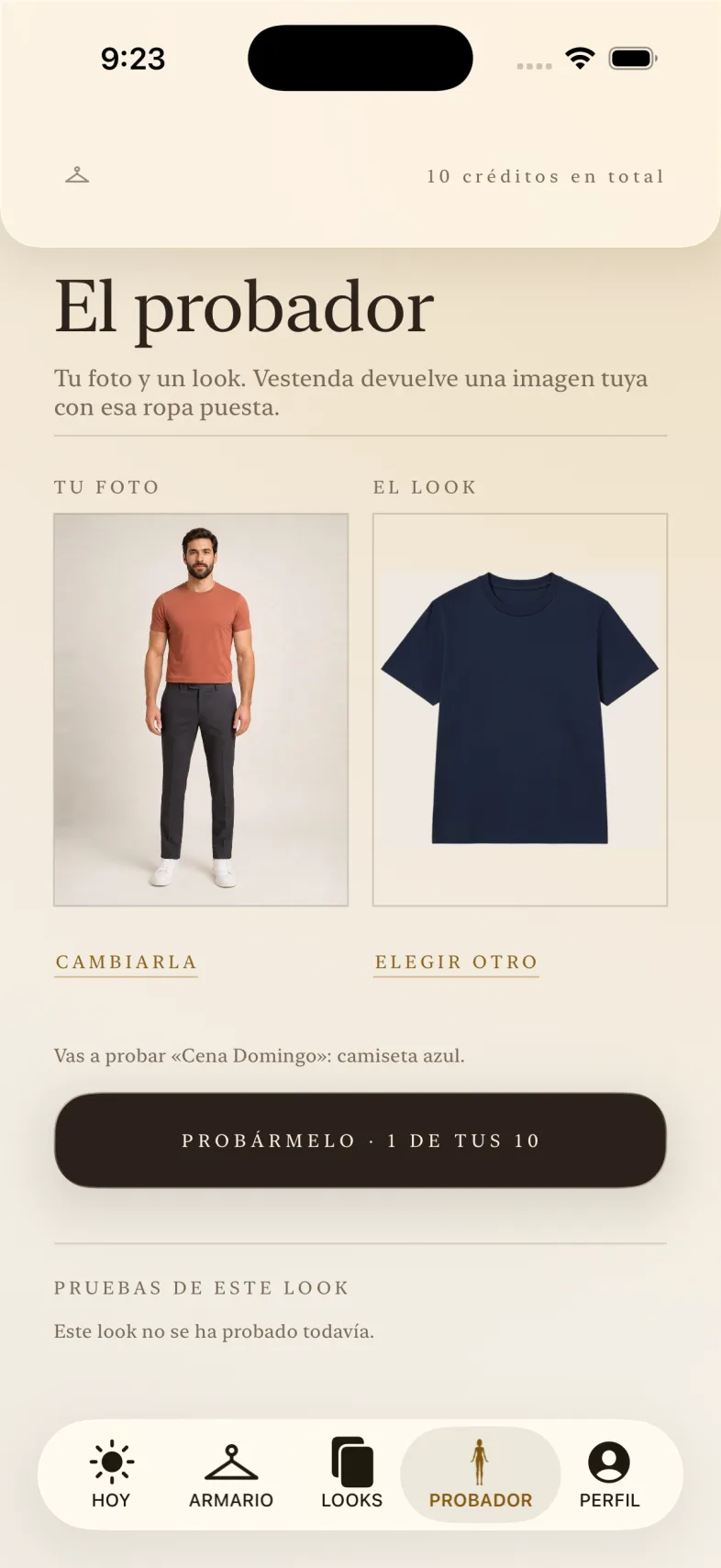
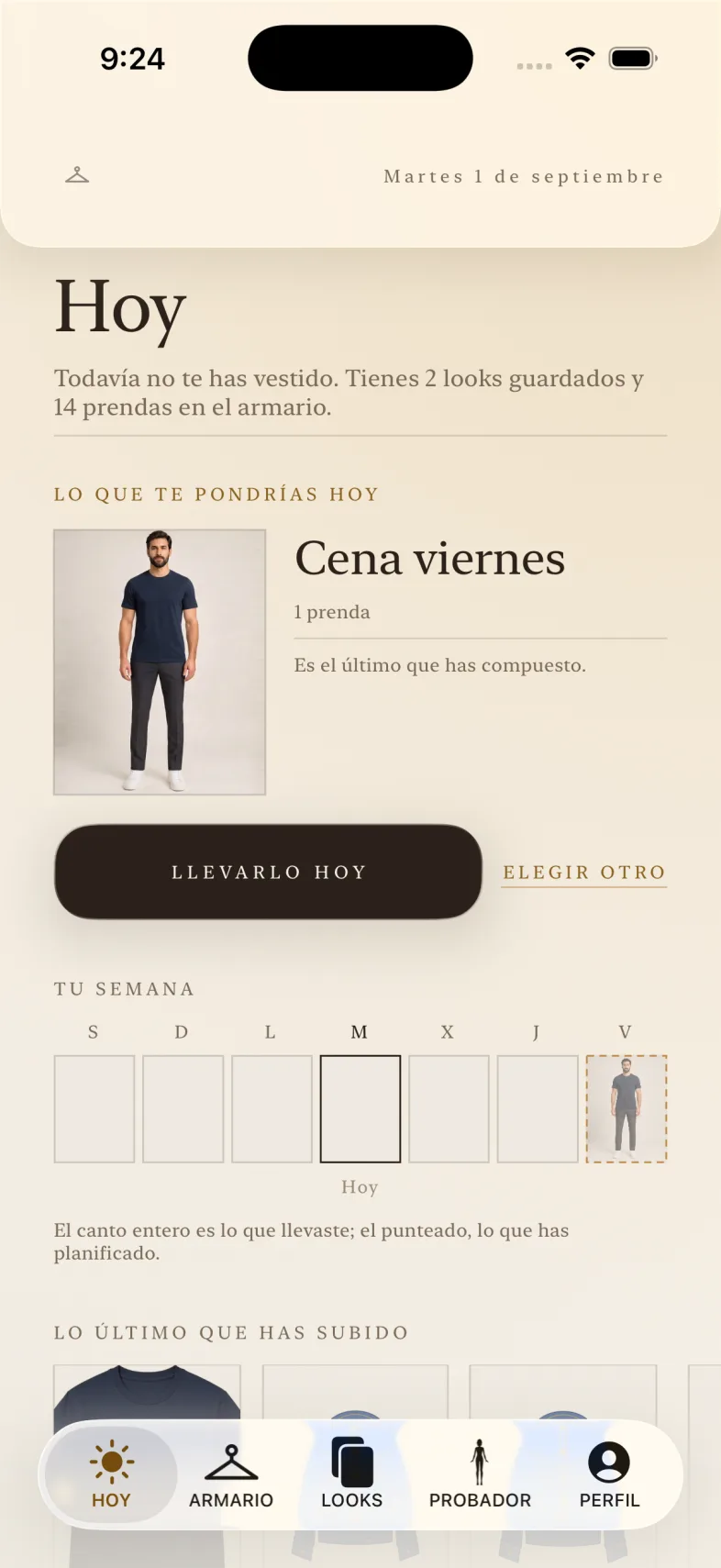
A quiet view of your wardrobe, your looks, and your week.
The wardrobe
There is no list of folders. The wardrobe screen is a figure, and each part leads to what is worn there. What lights up is the body, not a box drawn over the body: the wardrobe reads at a glance as a half-lit figure. And what is out of season is put away without being deleted: the seasonal change takes it out of sight and brings it back when the time comes.
Move over a zone. Each part of the body leads to the types of garment worn there, and the bands do not overlap: a type is worn in one place only.
The garments
Adding a garment takes four steps, and the second one is not yours to do.
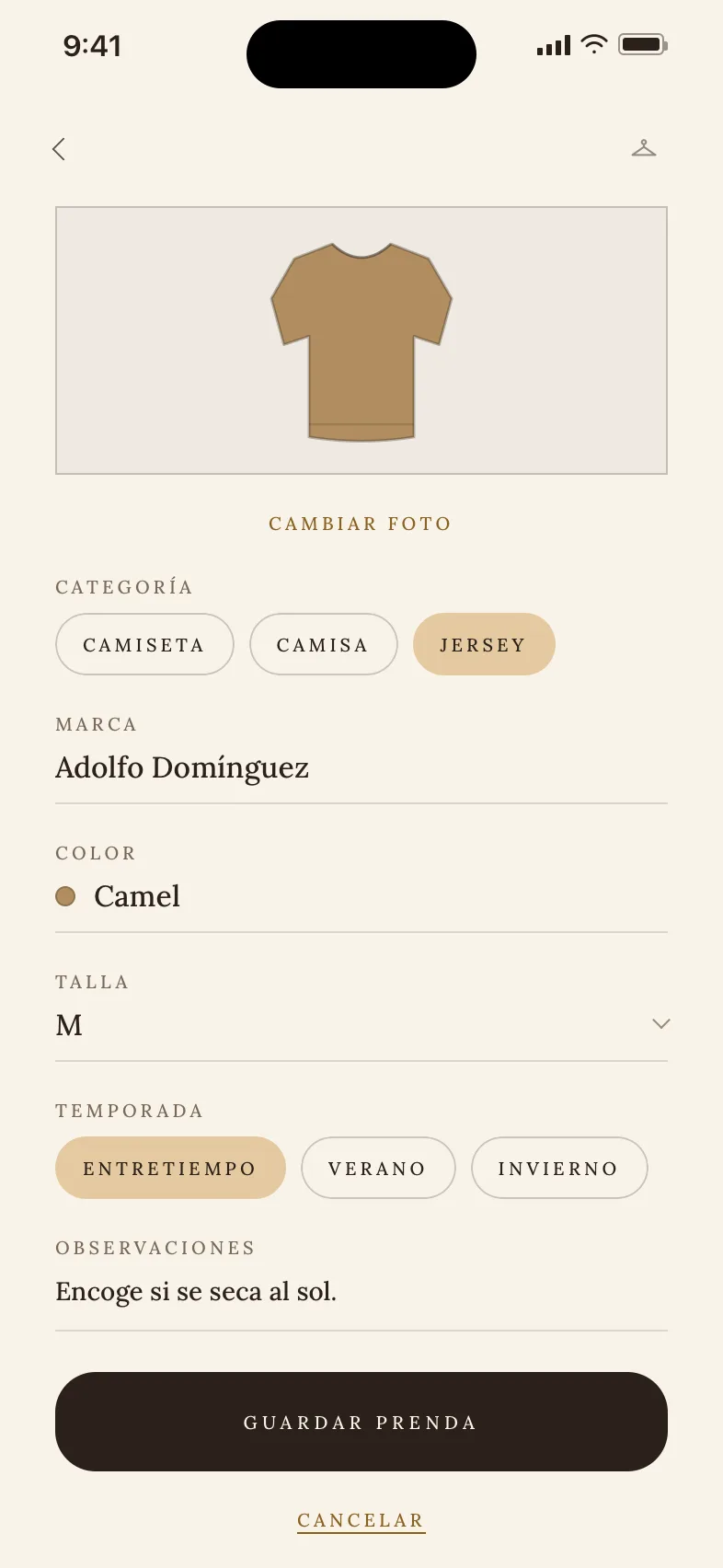
From your library or with the camera. You pick the garment you want to keep and Vestenda receives that photo, not the rest of your library.
The background goes on its own. The garment sits on the cream as if it were hanging, and not on the sofa where you photographed it.
Category, brand, colour, size, season and anything you want to note down. Brands are suggested as you type, so the same brand does not end up written three different ways.
The garment lands on the part of the body where it is worn. There are no folders to maintain: the order comes from the type you chose.
The background is removed once, when you save the garment, and it stays cut out for good. If one day the cut-out fails, the garment is saved anyway with the original photo: the one thing that must not happen is that you lose the garment.
The outfits
An outfit is put together on the mannequin: each zone offers the garments that fit there. The rules are not a form that validates at the end, they are part of getting dressed.
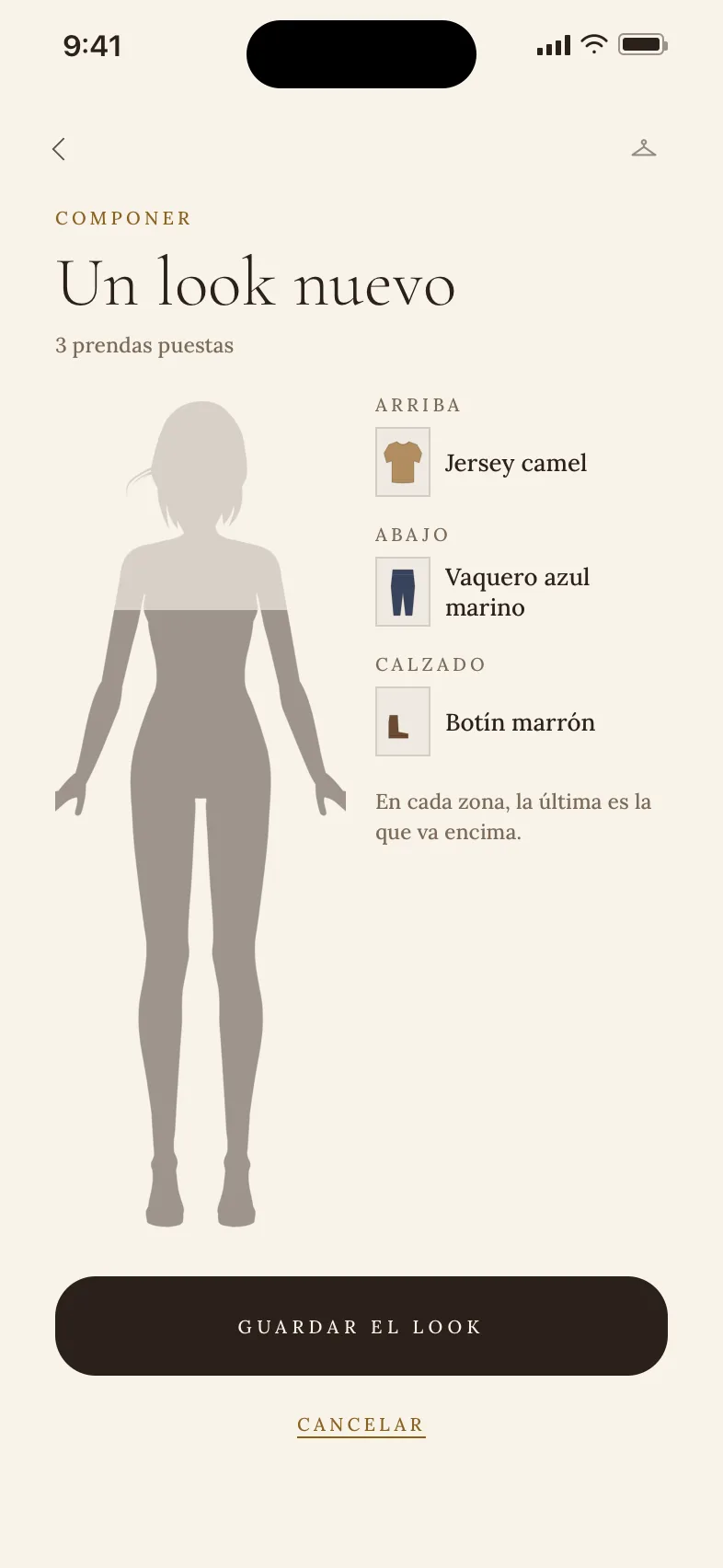
Except for tops and accessories. An open shirt over a T-shirt is a normal way to dress, and a bag does not get in a scarf's way; two pairs of trousers on at once are not an outfit, they are a slip of the finger.
It takes the torso and the legs in one piece, so it admits nothing on top and nothing below. With a coat over it, yes — that is how it is worn. The exclusion is written both ways round: otherwise the order in which you pick the zones would change what you can put together.
A garment can be in several at once, and so can a look, so grouping by «work» and by «summer» does not force you to choose.
The fitting room
You put the look together on the mannequin, tap try on, and Vestenda generates an image of how that outfit looks on you. It needs one full-body photo of you, kept apart from the wardrobe and deleted whenever you want.
Just one, stored outside the wardrobe and only for this. It is asked for with a box that starts unticked, and deleting it is one tap: you lose nothing else in the app.
You do not pick garments again: what gets tried on is what you have on the mannequin, with the body-zone rules already applied when you composed it.
Each image costs real money, so there is a limit and it is stated up front. They do not renew each month: ten is ten. Vestenda Pro raises it to a hundred a month.
The image is an approximation, not a photograph: it does not promise the size or the exact colour. It carries the notice, and the notice does not come off.
Today
Your week strip fills from both sides: three days behind with what you wore, today in the middle, and three ahead with what you plan to wear. It is not the calendar week, it is a window that rolls with you, so all seven days count the same.
It was the verb the app was missing: it had the inventory and it had the looks, and no way of saying that something had been worn. Now a look is marked on the day you wore it.
What you plan for Thursday and what you wore on Tuesday are not stored in the same place, and on the strip they are told apart by the edge: solid gold for what happened, dotted for the intention. If they were drawn the same, the app would be claiming you had already worn it.
Every look carries its own count. That is what turns the wardrobe into something you look at to decide, and not just a tidy inventory.
Who sees it
Vestenda has nothing to gain from showing what you keep: not to another person, not to an advertiser. There is a place where outfits are seen —Discover—, and only what someone publishes on purpose gets there. Hence these four, which are the ones that change something for you.
Your garments and your outfits go with your account and nobody else opens them: not another person using Vestenda, and not this page you are reading it from. The only thing seen outside is the outfit you publish.
It does not go into the wardrobe and one tap deletes it. It is the only photo of you that Vestenda needs, and it only leaves if you choose to publish an outfit with it as the cover, which is asked every time and with the consequence written in front.
You publish an outfit, not your account: you choose which one and which cover, and you take it down whenever you like. There are no followers, and what you do not publish is not in Discover.
Vestenda is paid for with Pro or not at all. Never with your wardrobe.
The plan
Vestenda is free to use: 50 garments and ten fitting-room tries. The ten are ten in total and do not renew each month — it says so here because that is the part people get wrong. Vestenda Pro removes the wardrobe cap, raises it to a hundred tries a month and lets you publish your outfits in Discover.
Free
Vestenda Pro
€6.99/month · €54.99/year
And one brake that does not depend on the plan and applies to everyone: 20 tries a day. Every image costs real money, and one mistake cannot take a whole month with it.
Your garments stay, and so do your outfits. What ends is adding one more garment or taking out another image: what is limited is what comes next, never what you already have.
It is an App Store subscription: you take it out inside the app with your Apple account and cancel it in the phone's settings, without coming back here. The price shows in your currency.
Put your wardrobe in view and make each outfit easier to choose.